Order Request and new items for allocations: Example provided
-
We could use a lil help on this one.
I create a report from the Procurement Section; Order Request. After allocating items, I then export to excel and work a report.
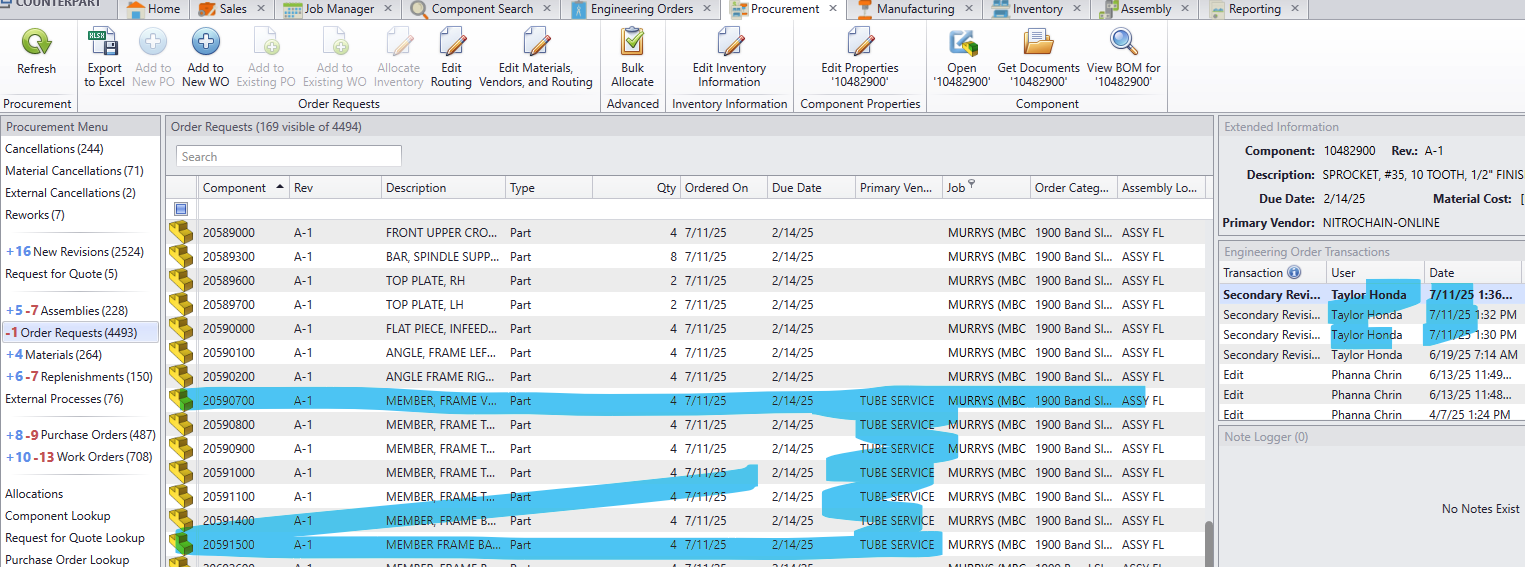
Curious thing happened as the list grew significantly for a project we are wrapping up this Friday. As shown in Screenshot one, we had 7 items crop up for the Frames which were completed back in March. After speaking with Engineering (Taylor Honda), he noted a revision was made to the footer of this machine.
At this point we believe this is why it showed up since Friday (date of revision was Friday). But why put these back in Order requests?
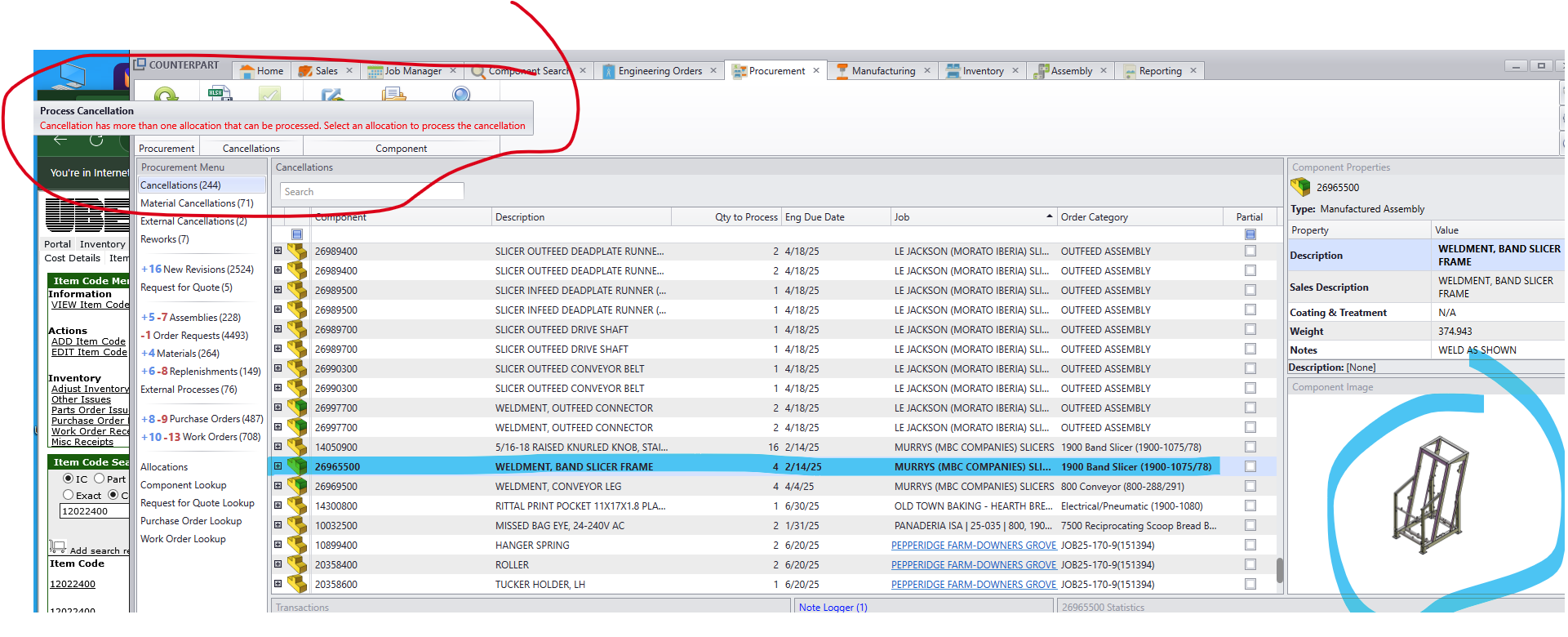
After some investigation, we found what we believe is a related item, the top level for this frame. See screenshot #2
The Process Cancellation was greyed out, so we check the reason. As you can see, and entire Order for a frame was added, where we are literally just adjusting the bottom plate.We'd like to understand the process better before we go and make changes that might not be the right approach to closing these out.
Lil Help Please!!
Screenshot #1
Screenshot #2
-
We have had some difficulties in the past when it came to engineering revision / reworks similar to what you are describing. A simple change to an assembly can create many cancellation that are intended to get reallocated back to the project. AND processing cancellation in CP one-by-one is very tedious.
When an engineer processes the rework we found the the "Un-Link" components is very powerful. The unlinked items remain on the engineering order and can be relinked when the assembly is reprocessed by procurement. This should eliminate the need for processing all the cancellations. Best practices for engineering changes was not very clear during initial training and took us a while to make this efficient...
-
E epotter moved this topic from Using COUNTERPART on